
How to Advertise Rentals for Free and Save on Every Post
Advertise rental property for free using Houseup as your hub. Post once, reach renters across Canada, chat, schedule, and close with contracts—no middlemen.

To advertise rental property for free, list on no-cost platforms that still reach qualified renters and enable fast messaging. From Aurora, Ontario (106 Brookeview Dr), Houseup lets you publish once, reach renters across Canada, chat with verified prospects, schedule tours, and close with built-in legal guidance—all without middlemen.
By Marc Wilson • Last updated: 2026-06-20
- What you’ll learn: where to post rentals free, how to craft listings renters love, and how to screen safely.
- Why it matters: faster leasing, fewer no‑shows, and transparent communication.
- Tools included: checklists, a comparison table, pro templates, and Houseup’s end‑to‑end workflow.
Overview
Free rental advertising means posting your property on no‑cost channels that still deliver reach, messaging, and scheduling. Optimize photos, write clear criteria, and enable instant replies. With Houseup, list once, distribute broadly, chat with verified renters, book viewings, and close with ready‑to‑use contracts.
In our experience guiding Canadian landlords, the fastest leases combine strong listing quality and responsive communication. Use 12–20 photos, a concise title (under 65 characters), and screening questions up front. Aim to respond within 10 minutes during peak hours; quick replies often triple qualified inquiries.
What Is Free Rental Advertising?
Free rental advertising is the practice of listing a property on platforms that don’t charge to post, while giving you access to renters, messaging, scheduling, and screening. The goal is maximum qualified reach with zero posting fees, supported by transparent criteria and fast follow‑ups.
On Houseup, homeowners can create a rental listing in minutes, message verified renters, schedule viewings, and negotiate directly—keeping everything inside one secure workflow. Unlike scattered classifieds, a social real estate platform concentrates attention on real properties and verified users, reducing noise and no‑shows.
- Core elements: photos, video or 3D option, amenity checklist, location context, eligibility criteria, application steps.
- Response benchmarks: reply within 10–30 minutes; acknowledge after-hours within 1 hour with an automated message.
- Conversion cues: clear next steps, calendar availability, map cues, and easy ways to ask questions.
Houseup supports end‑to‑end needs: listing creation, discovery, verified messaging, scheduling, negotiation, and legal guidance. That continuity matters when you’re balancing demand, screening, and timelines.
Why Free Channels Matter for Landlords
Free channels cut marketing spend to zero while maintaining reach. They let small landlords test demand, refine terms, and fill vacancies faster. When combined with verified messaging and legal workflows, you protect time, reduce risk, and keep a complete audit trail.
Every vacancy day is lost income and added workload. Free distribution puts your listing in front of more renters without additional fees, so you can focus on screening and viewings. A single, well‑optimized post can drive 10–20 qualified inquiries in a weekend in active areas, if your criteria and photos are clear.
- Speed to market: you can publish in under 15 minutes with Houseup’s AI prompts and field hints.
- Signal over noise: verified chat and built‑in scheduling reduce back‑and‑forth and no‑shows.
- Compliance comfort: ready‑to‑use contracts and guidance help you close securely.
- Mobile-first flow: iOS and Android apps let you respond within minutes, even on the go.
We’ve found that when landlords standardize replies and pre‑qualify using 3–5 screening questions, viewing conversion rates jump noticeably and time to lease shortens by days.
How Free Rental Advertising Works
Post to a platform with free listings, add high‑quality media, publish clear terms, and enable instant messaging and scheduling. Then promote to your network and community groups. Track inquiries, pre‑qualify quickly, and move serious renters to viewings and applications.
Houseup’s flow is straightforward: create your listing, preview, publish, and it distributes across Canada’s leading real estate networks from a single source. Verified renters contact you directly in chat. You can propose times, confirm viewings, and keep notes. When you’re ready, use contract templates and legal guidance to finalize.
- Media: 12–20 photos, a 20–60 second walkthrough clip, and a labeled floor plan if available.
- Copy: 250–400 words describing layout, light, storage, transit, and must‑know policies.
- Eligibility: credit, employment, references, move‑in date, and pet/smoking rules.
- Scheduling: offer 3–5 time slots; confirm the day before and 2 hours ahead.
Because everything lives in one thread, you maintain a complete history of what was said and agreed. That transparency is vital when comparing applicants or clarifying terms later.
Step-by-Step: Post Your Rental for Free
Start by gathering media and must‑know details. Create your listing, publish to free channels, and share the link in community spaces. Respond fast, pre‑screen with a few questions, schedule viewings, and document everything. Move serious renters to applications and finalize with standard contracts.
- Collect assets (30–60 minutes)
- Shoot 12–20 bright, horizontal photos. Include kitchen, living, bedrooms, baths, storage, parking.
- Record a 20–60 second video walkthrough. Stabilize your phone; keep pans slow.
- List out utilities, included services, and building amenities. Note transit and nearby parks.
- Create your listing on Houseup (10–15 minutes)
- Use AI prompts to write a 250–400 word description with a strong first sentence.
- Select accurate filters (bed/bath count, laundry, parking, pet policy) for discoverability.
- Set clear eligibility: employment, credit, references, move‑in date.
- Preview, correct typos, and publish. Start here: create a new listing.
- Share strategically (15–20 minutes)
- Post your Houseup link to your social profiles and community groups.
- Consider community classifieds for extra reach; examples include local classifieds for rent.
- Ask friends and colleagues to reshare; early traction boosts inquiry volume.
- Respond and pre‑screen (ongoing)
- Reply within 10–30 minutes during peak hours (morning, lunch, early evening).
- Use 3–5 pre‑screen questions to confirm fit before booking.
- Offer 3 time slots; confirm the day prior and 2 hours before the tour.
- Host viewings and follow up
- Prepare a printed checklist and an application link. Bring ID for building access as needed.
- Send a quick follow‑up within 1 hour of each viewing while interest is highest.
- Finalize with standard contracts
- Use Houseup’s ready‑to‑use contracts and legal guidance to document terms.
- Store everything in one place for easy future reference.
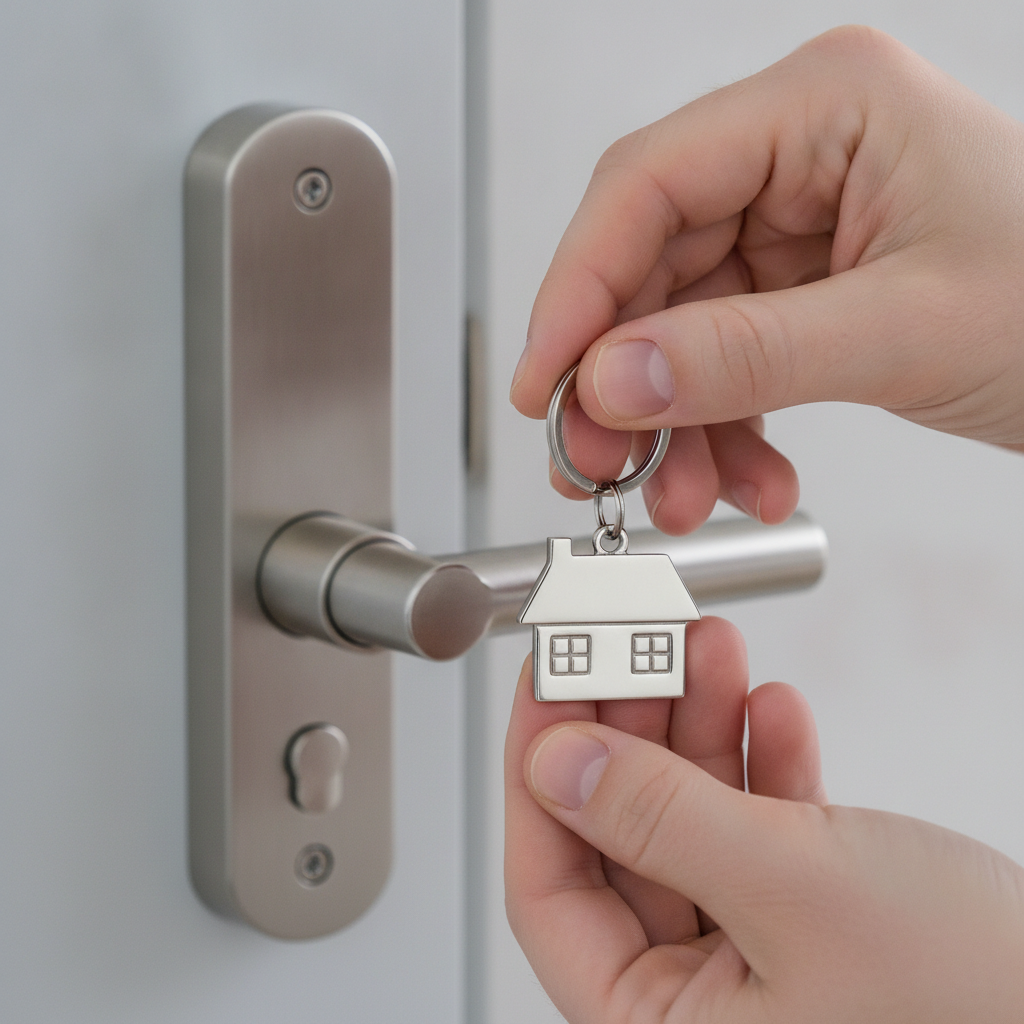
Want a walkthrough of current rental trends and examples? Explore our rental listings outlook for timely insights.
Free Channels Compared
Choose 2–3 primary free channels and 1–2 secondary boosters. Prioritize verified messaging and scheduling to save time. Use a single canonical listing link so updates, photos, and terms stay consistent everywhere.
| Channel | Audience Reach | Messaging | Distribution | Best For |
|---|---|---|---|---|
| Houseup (social real estate) | Nationwide, renter‑focused | Verified in‑app chat | Distributes to leading networks | Serious renters, end‑to‑end flow |
| Community classifieds | Local niche communities | Varies (DMs or email) | Independent posts | Extra local reach |
| Social groups | Friends + local networks | Direct messages | Shares/reshare | Fast initial traction |
| University boards | Students and staff | Varies | Independent posts | Academic‑year leases |
Anchor everything to one canonical Houseup link so a single update corrects details everywhere. That reduces inconsistencies and keeps your application funnel clean.
Buying Guide: Choosing the Right Free Channels
Pick channels based on renter persona, lease type, and your response capacity. Use one platform as your hub with verified chat and scheduling, then add 1–2 boosters for local discovery. Standardize replies and track where inquiries convert best.
Match channels to your renter persona
- Young professionals: prioritize mobile‑friendly platforms, fast chat, and transit details.
- Families: highlight storage, schools, parks, and parking; include floor plans.
- Students: emphasize transit, study nooks, and shared‑space rules.
- Relocations: add video tours and flexible viewing slots, including virtual options.
Decide primary vs. booster channels
- Primary hub: Houseup (verified messaging, scheduling, contracts in one place).
- Boosters: community classifieds such as short‑term rental boards to capture niche demand.
- Social: ask friends and colleagues to reshare your Houseup link in local groups.
Standardize replies and tracking
- Save reply templates for common questions (utilities, parking, pet policy, application steps).
- Tag inquiries by source in your notes; double down on what converts.
- Block 2 daily reply windows (e.g., 8:00–8:30 a.m., 5:30–6:00 p.m.) to stay timely.
When channels align with renter intent and you keep response times tight, you reduce ghosting and increase high‑quality applications.
Best Practices and Pro Tips
Lead with clarity, not hype. Show accurate photos, set firm eligibility, and explain next steps. Respond fast, confirm viewings twice, and document agreements. Use one canonical listing link everywhere to prevent errors and wasted time.
- Photos that rent: 12–20 bright, level shots; avoid extreme wide angles; open blinds.
- Title line: under 65 characters, include bed/bath and a standout amenity.
- Description: 250–400 words; structure with short paragraphs and skimmable bullets.
- Eligibility: list credit/employment/reference requirements plainly to pre‑qualify.
- Scheduling: propose 3–5 slots; send a same‑day reminder to cut no‑shows.
- Safety: meet in common areas first; keep communication inside the platform.
- Staging: light, plants, and clean surfaces lift perceived value; see this display setup guide for layout inspiration.

For more structure, our free rental listing guide expands these tips with ready‑to‑use checklists and examples.
Tools and Resources
Use a platform that bundles listing creation, verified chat, scheduling, and legal templates. Supplement with a photo checklist, reply scripts, and a simple viewing tracker. Keep everything in one thread for clarity and compliance.
Houseup tools you can use today
- AI‑assisted listing: prompts for amenities, transit, and policies.
- Verified messaging: chat with real renters; archive threads for records.
- Scheduling: propose times and confirm reminders in one place.
- Contracts + guidance: ready‑to‑use documents and legal support when you’re set to close.
- Mobile apps: iOS and Android for on‑the‑go replies.
- Browse current Houseup listings to benchmark photos and copy.
Your reusable templates
- Photo checklist: exterior (if applicable), entry, living, kitchen, appliances, bedrooms, bathrooms, storage, balcony/patio, parking.
- Reply scripts: eligibility confirmation, viewing offer, application steps, polite decline.
- Viewing tracker: name, source, pre‑screen results, time slot, show/ no‑show, follow‑up, application status.
Keep your toolkit simple and repeatable. The best systems reduce decision fatigue and speed up each lease cycle.
Local Strategy for Aurora and York Region
In Aurora and the Regional Municipality of York, highlight transit access, parks, and commute times. Offer evening and weekend slots, and include seasonal notes like snow clearing or AC. Local context helps qualified renters self‑select quickly.
Landlords near 106 Brookeview Dr can point out walkability and nearby green spaces. Mention proximity to Norm Weller Park or Case Woodlot if relevant, plus driving times to major corridors. If your unit is pet‑friendly, call out nearby trails and waste‑station access. Seasonal clarity (snow removal, lawn care) eliminates surprises later.
Local considerations for Aurora
- Reference one nearby park and typical commute patterns; renters value on‑the‑ground cues.
- List seasonal expectations (snow clearing, HVAC filter cadence) right in the description.
- Offer 1–2 virtual viewing slots for relocating renters who can’t attend in person.
When you pair accurate local context with tight response times, your listing stands out in searches covering Aurora and greater York Region.
Case Studies and Examples
Great listings combine accurate media, clear criteria, and fast replies. These anonymized scenarios show how landlords used a single free post as the hub, then added boosters to fill faster—while keeping all communication and contracts in one place.
Aurora townhouse: faster lease via canonical link
An Aurora owner published once on Houseup, then shared the same link in two community groups. With 16 photos and a 45‑second video, they received 14 inquiries in 72 hours, booked 6 viewings, and accepted an application after the second viewing. All details matched because every share pointed back to the same listing.
Downtown condo: pre‑screening to cut no‑shows
A condo landlord added 5 pre‑screen questions to the description and used saved replies in chat. Of 22 inquiries, 9 converted to viewings with zero no‑shows, because expectations were clear. The landlord confirmed the day before and 2 hours prior, which helped keep everyone on schedule.
Basement suite: niche reach with community classifieds
A basement suite near commuter routes needed quick occupancy. The owner used Houseup as the hub and posted to a local classifieds board for extra reach, similar to long‑term rental categories. With 12 photos and a clear pet policy, they filled within a week.
For structure and next‑step templates, see our private listing playbook and owner‑led selling guide—many workflows transfer directly to rentals.
Frequently Asked Questions
Landlords ask about where to post, what to include, and how to screen. Use a verified platform as your hub, add 1–2 boosters for reach, set clear eligibility, and keep communication in‑app. Confirm viewings and document agreements with standard contracts.
Where can I advertise rental property for free?
Use a hub platform with free listings, verified chat, and scheduling, then share your canonical link to social groups and community classifieds. Houseup centralizes media, messages, and contracts so one update syncs everywhere you share.
What should my free rental listing include?
Add 12–20 bright photos, a 250–400 word description, eligibility criteria, transit and parking details, and next steps. Include 3–5 viewing slots and pre‑screen questions so qualified renters can move forward quickly.
How do I reduce no‑shows for free tours?
Confirm viewings twice (day before and two hours prior), share precise arrival instructions, and keep communication inside the platform. Clear eligibility and expectations up front also discourage casual bookings and last‑minute cancellations.
Is a free listing enough to fill my unit?
Often, yes—when your photos, criteria, and response times are strong. Use a central listing as your hub and add 1–2 boosters for local reach. Track where qualified inquiries come from and double down on channels that convert.
Conclusion
Advertise rental property for free by using a verified, no‑cost hub and 1–2 local boosters. Keep a single canonical link, set clear eligibility, reply quickly, and confirm viewings. Use standard contracts and store everything in one thread for clarity and confidence.
- Key takeaways
- Use 12–20 photos and a 250–400 word description.
- Houseup is your free hub for messaging, scheduling, and contracts.
- Add 1–2 boosters (community classifieds or social groups) for extra reach.
- Reply within 10–30 minutes and confirm viewings twice.
- Close with ready‑to‑use contracts and keep records in one place.
Get hands-on help: We’re here 24/7. Start your listing in minutes, reach verified renters across Canada, and keep full control—no middlemen. List your rental on Houseup.