
Listing Optimization for Home Sellers: Get More Views, Faster Offers
Learn listing optimization for home sellers—photos, headlines, data, distribution, showings, negotiation, and legal-readiness—to earn more views and faster offers.
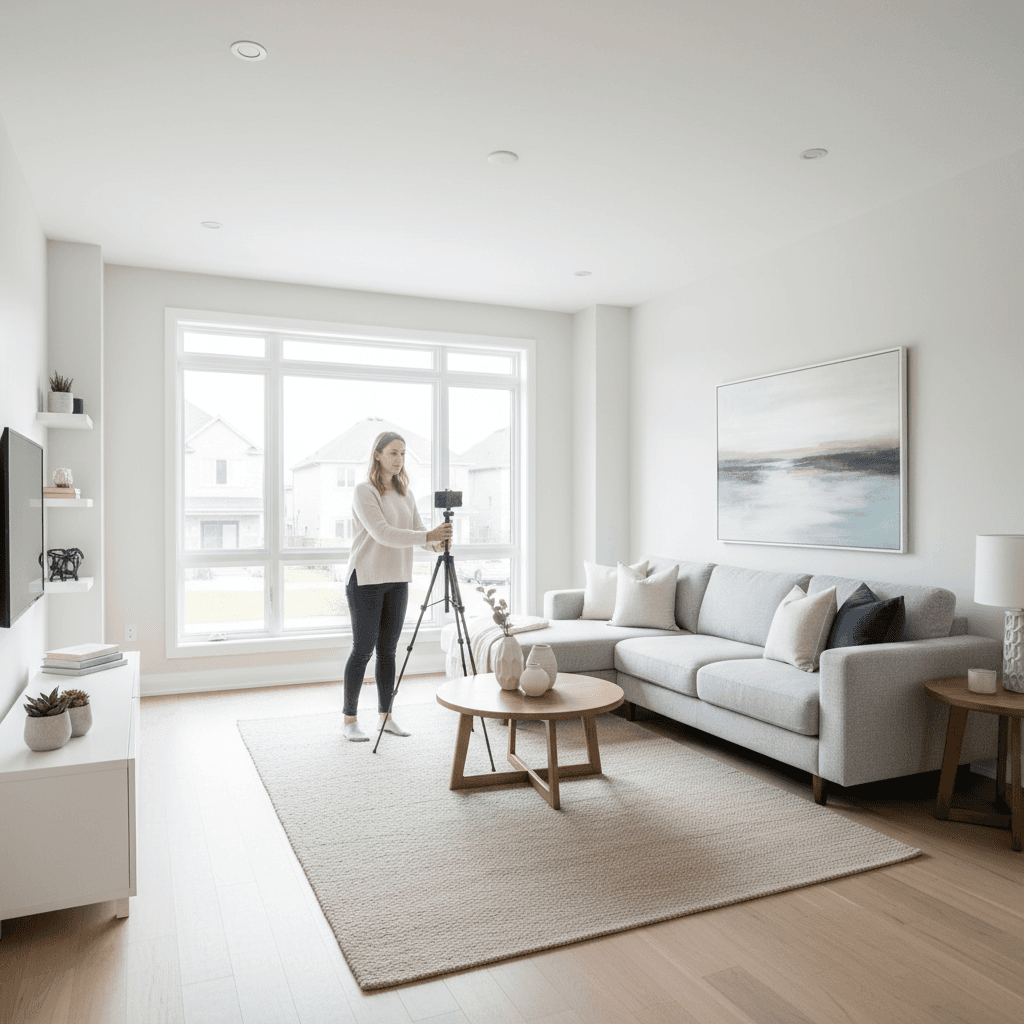
Listing optimization for home sellers is the systematic process of preparing, positioning, and promoting your property so it appears more often in searches, attracts verified, motivated buyers, and converts views into showings and firm offers. It aligns photos, copy, data completeness, distribution, scheduling, and legal-readiness to shorten days-on-market.
Above the Fold: Hook, Overview, and Table of Contents
Optimize a listing by combining bright photography, a buyer-focused headline, complete property data, and broad distribution. Then back it up with responsive messaging, easy scheduling, and ready-to-share documents. When every step is simple, buyers discover, verify, book, and submit strong offers faster.
Quick Summary
- What you’ll learn: A complete, step-by-step playbook for listing optimization for home sellers—photos, copy, data, distribution, showings, negotiation, and documents.
- Why it matters: Optimized listings earn more impressions, more qualified showings, and cleaner offers—especially when transaction steps are clear.
- Who it’s for: Canadian homeowners selling FSBO on Houseup or collaborating with on-platform professionals.
- Outcome: More views, faster offers, smoother close—without paying realtor fees or juggling disconnected tools.
Quick Answer
On Houseup, listing optimization for home sellers means staging smart, writing a clear headline, uploading bright photos, completing every data field, and enabling verified chat, scheduling, negotiation, and legal-ready contracts. In Aurora and across Canada, this helps serious buyers find you faster and book showings seamlessly.
Table of Contents
- What Is Listing Optimization?
- Why Listing Optimization for Home Sellers Matters
- How Listing Optimization Works on Houseup
- Approaches and Playbooks
- Best Practices Checklist
- Tools and Resources
- Mini Case Studies and Examples
- Platform and Approach Comparison
- Buying Guide for Listing Services
- Execution: From Photo Day to Offer Day
- Troubleshooting Low Engagement
- FAQ
- Conclusion + Key Takeaways
- Related Guides
Local Tips
- Tip 1: In Aurora, schedule twilight exteriors after the Bayview Avenue rush; golden-hour light adds curb appeal to detached homes near the greenbelt and trails.
- Tip 2: Before late-winter/early-spring launches, rinse away salt residue on driveways and entries so photos look clean even under overcast Ontario skies.
- Tip 3: Weekend showings around St. Andrew’s College or Aurora Community Center events can draw out-of-town families—open flexible booking windows in Houseup to capture that traffic.
IMPORTANT: Time your photo shoot for clear skies, and use Houseup’s scheduling so buyers self-book within your preferred time blocks.
What Is Listing Optimization?
Listing optimization is the end-to-end method of making a property easy to discover, easy to trust, and easy to book. It aligns photography, copy, data completeness, and distribution with buyer intent, then removes friction in messaging, showings, and contracts so qualified interest becomes signed offers.
- Definition: A structured process that combines visuals, metadata, and buyer workflows to increase visibility and conversion.
- Core elements: Staging, bright photos, promise-led headline, skimmable bullets, complete property data, floor plans, neighborhood notes, and disclosure readiness.
- Conversion levers: Rapid responses, self-serve scheduling, and transparent documents maintain momentum from discovery to offer.
- Houseup advantage: Canada-wide social distribution, verified chat, guided negotiation, and ready-to-use contracts inside one platform.
Here’s the thing: buyers decide in seconds whether to click, save, and schedule. Your job is to remove doubt and make the “Schedule a viewing” decision effortless.
Why Listing Optimization for Home Sellers Matters
Optimization matters because buyers skim, algorithms rank, and time kills deals. Listings that lead with bright visuals, clear headlines, and complete details rank higher in searches, get more qualified showings, and reduce last-minute renegotiations with transparent documents.
- Attention economics: Hero images and honest, bright galleries lift click-through and saves.
- Marketplace ranking: Completed fields and relevant keywords increase filter compatibility and search visibility.
- Trust-building: Floor plans, upgrade lists, and disclosure clarity lower buyer anxiety.
- Operational speed: Self-serve scheduling and quick replies keep interest hot after discovery.
According to Google’s Search Central guidance, clear images, descriptive alt text, and structured data help search systems present your content effectively. In our experience working with Canadian sellers, those fundamentals consistently translate to real-world engagement.
How Listing Optimization Works on Houseup
On Houseup, you create a complete, social-ready listing, distribute it to buyer networks across Canada, and manage chat, scheduling, negotiation, and legal steps in one place. That end-to-end flow reduces friction from first message to a secure, documented close.
Step-by-Step: From Draft to Offer
- Plan hooks: List three selling points (e.g., walk-to schools, finished basement, new roof/furnace).
- Stage rooms: Declutter, clean, and style focal areas—kitchen, living room, primary suite, and baths.
- Shoot photos: Daylight sessions, wide angles for space, details for care, and a twilight exterior.
- Write copy: Use a promise-led headline and bullet highlights to help skimmers decide fast.
- Complete data: Fill every field—beds, baths, square footage, lot size, systems, parking, storage.
- Publish + distribute: Houseup shares your listing across Canada’s major buyer networks.
- Engage fast: Use verified chat, saved replies, and notifications to respond within minutes.
- Schedule: Open evening/weekend blocks so working buyers can self-book.
- Negotiate: Keep counters, inclusions/exclusions, and timelines documented in-platform.
- Close: Use ready-to-use contracts and legal guidance for a confident, secure finish.
We’ve found that when sellers prep documents before launch, conversations stay focused on fit and timing—not clarifications that slow momentum.
Approaches and Playbooks
Match the playbook to your home’s strengths. “Photo-First” for high visual appeal, “Feature-Forward Copy” for standout systems or location, and “Distribution-Max” for competitive markets. Combine any playbook with fast response times and document readiness.
Photo-First
- When it shines: Newer finishes, great natural light, strong curb appeal.
- Execution: Lead with your three best images; add a golden-hour exterior as the cover or second slide.
- Checklist: Straight verticals, balanced exposure, decluttered surfaces, mirrors cleaned, lights on.
- Metric to watch: Gallery engagement (next/prev taps, time on page) often improves after a brighter cover.
Feature-Forward Copy
- When it shines: Big-ticket updates (roof, HVAC), finished basements, standout location cues (schools, transit).
- Execution: Use a promise-led headline: “Bright 3-bed near schools + finished basement.”
- Checklist: Bulleted upgrades with years, inclusions/exclusions, utility info, condo/HOA rules if applicable.
- Metric to watch: Saved counts and message quality improve when proof points are explicit.
Distribution-Max
- When it shines: Competitive areas, unique properties, and time-sensitive moves.
- Execution: List on Houseup and leverage Canada-wide distribution in one flow.
- Checklist: Refresh cover image periodically; monitor engagement; expand showing windows during peaks.
- Metric to watch: Impressions to showings ratio—tweak images/headline if the ratio stalls.
Best Practices Checklist
The winning formula is simple: bright photos, a promise-led headline, full data, fast responses, flexible scheduling, and contract-ready documents. Do these consistently and your listing will be easy to find, trust, and book—three steps to faster offers.
Photography (Shot List)
- Exterior: Front elevation (day and twilight), backyard, garage/parking, street context.
- Main rooms: Living, dining, kitchen (two angles each), primary suite, secondary bedrooms.
- Details: Updated hardware, appliances, flooring, storage, laundry, mechanicals (furnace/AC).
- Outdoors: Deck/patio, garden, sheds, fencing, side yards, views.
- Bonus: Floor plan image or PDF for spatial clarity.

Headline and Copy
- Formula: Promise + key feature + location cue (e.g., “Walk to GO station + finished basement”).
- Bullets first: Buyers skim—start with five punchy highlights, then a short narrative.
- Fair-housing safe: Focus on the property, not people or preferences.
- Keywords: Use terms buyers actually filter for (parking, finished basement, renovated kitchen).
Data Completeness
- Fill every field: Beds, baths, square footage, lot size, systems, parking, fees, inclusions.
- Accuracy: If you’re unsure, say so and provide context; clarity builds trust.
- Documents: Disclosures, warranties, rules, and recent work orders reduce surprises.
Scheduling and Messaging
- Response time: Aim for minutes, not hours; enable notifications on the Houseup app.
- Viewing windows: Offer weekday evenings and weekend blocks; add buffer time.
- Saved replies: Prewrite answers for parking, storage, utilities, and offer timelines.
Negotiation and Close
- Inclusions/exclusions: List appliances, fixtures, and any rentals clearly.
- Timeline clarity: Preferred closing date ranges and possession terms reduce friction.
- Contracts: Use Houseup’s ready-to-use templates and legal guidance for a secure close.
Tools and Resources
Houseup centralizes listing creation, verified chat, scheduling, negotiation, and legal guidance. With native iOS and Android apps, you manage everything on the go while Canada-wide distribution expands your buyer reach automatically.
- AI-powered listing builder: Turn your notes into polished headlines and bullets.
- Verified chat and scheduling: Keep conversations, bookings, and reminders in one timeline.
- Contracts and legal guidance: Share-ready templates and support for confident transactions.
- Mobile apps: Real-time notifications help you reply quickly and keep momentum.
According to Google’s guidance on structured data, organized information helps search systems showcase content clearly. Within Houseup, that same principle applies—complete, consistent fields help buyers filter and act faster.
Mini Case Studies and 12 Real-World Examples
Sellers who combine bright images with clear proof points and easy scheduling see the same pattern: more saves, better questions, and faster offers. When documents are prepped, negotiations stay focused on terms—not clarifications.
- Aurora bungalow: Replaced a dark hero photo with a bright living room shot; impressions-to-clicks improved and showing requests followed.
- GTA townhouse: Added floor plan and parking notes; buyer messages shifted from “Do you have…?” to “Can we see it Tuesday?”
- Condo near GO station: Led copy with transit access; weekday evening bookings increased.
- Renovated split-level: Headline surfaced “new roof + furnace”; inspection concerns eased early.
- Starter home: Enabled next-day scheduling; reduced back-and-forth and no-shows.
- Rural property: Added acreage map and well/septic notes; drew the right, prepared audience.
- City loft: Highlighted pet-friendly rules; renters self-qualified before booking.
- Family home: Bullet-listed school catchments; parents shortlisted quickly.
- Corner lot: Twilight exterior cover; curb appeal drove initial clicks.
- Basement suite: Separate entrance and parking in bullets; investor interest rose.
- Lake-adjacent: Drone top-down added; weekend slots filled faster.
- New build: Builder warranty noted; negotiations stayed on timing, not defects.
Platform and Approach Comparison
Pick a platform that pairs discoverability with conversion and closing tools. When listing, messaging, scheduling, negotiation, and contracts live together, you prevent delays and preserve momentum from first click to signed paperwork.
| Option | Direct Buyer Messaging | Scheduling | Legal Resources | Distribution Reach | AI/Automation | Mobile Apps |
|---|---|---|---|---|---|---|
| Houseup | Yes (verified) | Built-in | Ready-to-use + guidance | Canada-wide networks | AI-powered tools | iOS + Android |
| REALTOR.ca | Varies by agent | Agent-managed | Agent-managed | High consumer traffic | Limited to listings | Yes |
| PropertyGuys | Direct | Varies | Available | Regional/National | Varies | Varies |
| Kijiji (Real Estate) | Direct | Manual | None native | Classifieds audience | Limited | Yes |
| FSBO-only websites | Direct | Varies | Varies | Varies | Limited | Varies |
Buying Guide for Listing Services
Evaluate platforms on discoverability, conversion tools, transaction support, and responsiveness. The right fit makes you easy to find, easy to trust, and easy to book—then helps you finalize with confidence.
- Discoverability: Canada-wide distribution, robust search filters, and a clean mobile experience.
- Conversion tools: Verified chat, scheduling, and guided negotiations reduce friction.
- Transaction support: Templates, disclosures, and legal guidance keep deals on track.
- Responsiveness: Push notifications and 24/7 assistance help you reply fast.
Free Listing Optimization Review (Soft CTA)
Want a quick second set of eyes? Share your draft photos, headline, and bullets inside Houseup and ask for feedback. We’ll highlight fast wins you can apply before launch.
Execution: From Photo Day to Offer Day
Work in themed sprints—Photos, Copy, Data, Distribution, Showings, Negotiation, Close. Each sprint removes friction for buyers and sets up your next milestone, so momentum builds instead of stalling.
Photo Sprint
- Stage 24 hours ahead; open blinds, replace bulbs, hide cords, remove fridge magnets.
- Shoot wide angles first, then detail shots that prove care (clean grout, updated hardware).
- Capture a twilight exterior; it’s a reliable click-through booster.
Copy Sprint
- Write three headline options; keep the strongest promise + proof.
- Draft five bullets with measurable facts (year of upgrades, proximity to transit/schools).
- Keep narrative tight—2–4 short paragraphs max.
Data Sprint
- Complete every field on Houseup—accuracy beats brevity.
- Upload floor plans; buyers love quick spatial confirmation.
- Prepare disclosures and sample terms for early sharing.
Distribution + Showings Sprint
- Publish on Houseup to reach buyers across Canada’s leading networks.
- Open evening and weekend slots; allow self-booking to reduce back-and-forth.
- Turn on mobile notifications to reply within minutes.

Negotiation + Close Sprint
- Keep counters, timelines, and inclusions in-platform for a clean record.
- Share ready-to-use contracts and guidance early to reduce second-guessing later.
- Confirm key milestones: deposit method, inspection windows, and possession date ranges.
Troubleshooting Low Engagement
If impressions are healthy but showings are slow, improve the cover image, headline, and bullets. If messages lag, widen showing windows and enable notifications. If offers stall, tighten documents and timelines so serious buyers can move decisively.
- Low impressions: Add more images, include a twilight exterior, and complete missing fields.
- Lots of views, few clicks: Swap in a brighter cover; rewrite the headline to promise a result (“walk to transit,” “finished basement”).
- Clicks, no messages: Clarify parking/storage; add floor plan and utility notes.
- Messages, no showings: Open weeknight times and weekend blocks; reduce gaps between slots.
- Showings, no offers: Share disclosures early; set expectations on timelines and inclusions/exclusions.
We’ve seen sellers get immediate traction by simply replacing a dark cover image and leading the first bullet with a concrete upgrade or location perk. Small edits, big outcomes.
FAQ
Great photos, complete data, and fast replies are the biggest multipliers. Combine them with easy scheduling and clear documents to close the gap between first view and firm offer.
- How do I write a headline that gets clicks?
- Lead with a promise and proof: “Bright 3-bed near schools + finished basement.” Keep it under ~70 characters and include one location cue buyers filter for.
- What photos matter most?
- Cover image, living room, kitchen, primary suite, and a golden-hour exterior. Add detail shots that prove care—updated hardware, tidy storage, and clean entries.
- How fast should I reply to buyers?
- Within minutes when possible. Speed signals seriousness, keeps momentum, and earns you a spot on more showing calendars.
- When should I refresh my listing?
- Anytime you improve the hero image, add a floor plan, clarify parking/storage, or open new showing blocks. Small tweaks can re-spark discovery.
- Do I need legal documents ready before showings?
- It’s smart to prepare disclosures and sample terms before the first viewing. Clarity reduces renegotiations and builds trust with serious buyers.
Conclusion
If buyers can see it, believe it, and book it fast, they’ll offer faster. Focus on photos, clarity, completeness, quick replies, and contract-readiness—then let Houseup’s social, AI-enabled marketplace reach verified buyers across Canada.
Key Takeaways
- Listing optimization for home sellers starts with bright, honest visuals and full data.
- Promise-led headlines and skimmable bullets convert scanners into scheduled showings.
- Fast replies and flexible scheduling preserve momentum when interest is highest.
- Disclosure and contract readiness reduce friction and renegotiations.
- A single platform for listing, messaging, scheduling, negotiation, and contracts means fewer delays.
Related Guides
- How to Photograph Your Home for Online Listings
- Headline and Copy Formulas for Real Estate Listings
- Scheduling Showings Without Losing Your Weekend
- Disclosures and Documents: What to Prep Before Launch