
Property Viewings: Book Faster & Win More Buyers in 2026
Use this property viewing scheduling guide to publish windows, confirm buyers, send reminders, and convert tours into offers—powered by Houseup tools.
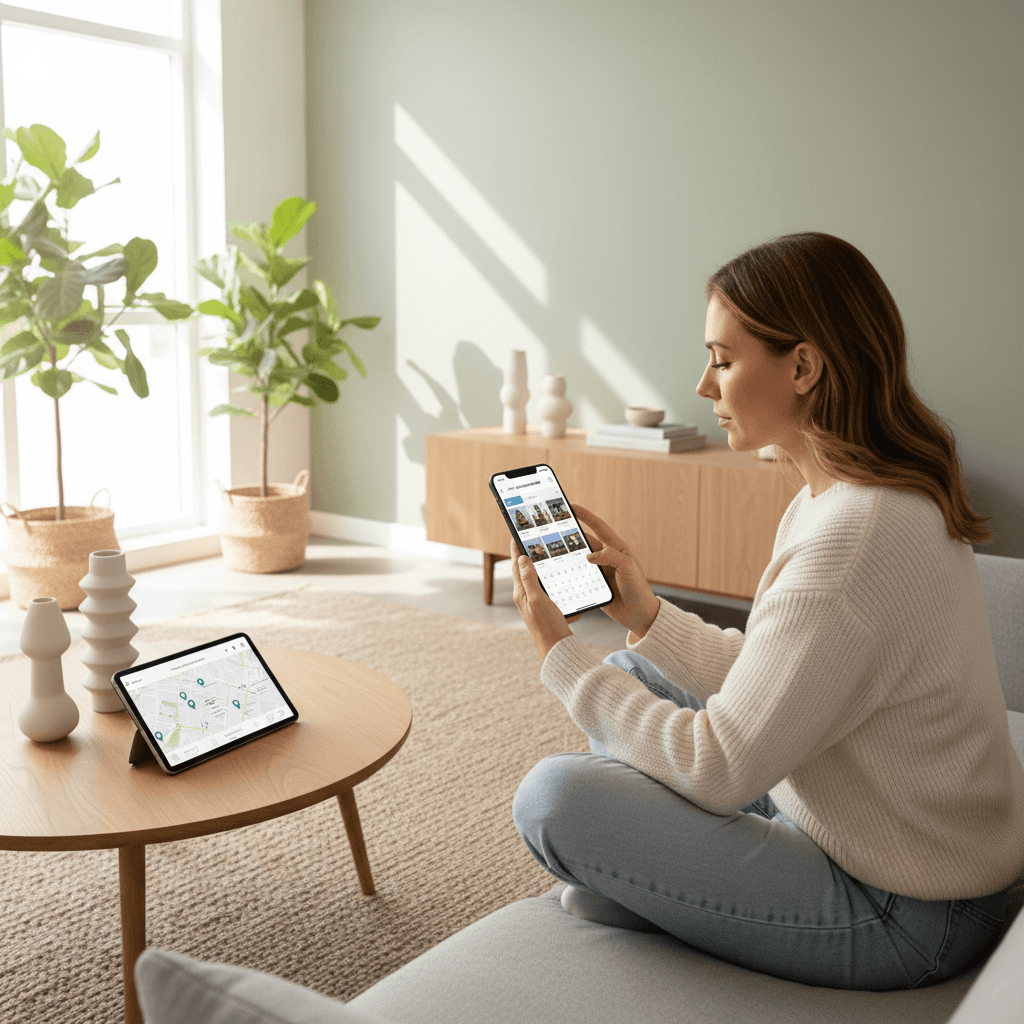
Property viewing scheduling is the structured process of offering time slots, confirming appointments, and coordinating access so buyers can tour your home without friction. On Houseup in Aurora (106 Brookeview Dr), you can publish availability, message verified buyers, and automate reminders—this property viewing scheduling guide shows you how to turn tours into offers.
By Houseup • Last updated: 2026-05-08
Overview
This guide shows Canadian sellers and renters how to plan, offer, and confirm property showings with less back-and-forth. You’ll learn proven timing windows, smart confirmation flows, access control, safety prep, and how to use Houseup tools—so more tours happen on time and more buyers submit offers.
What you’ll get from this complete guide:
- Clear definitions of viewing types, scheduling methods, and etiquette
- Step-by-step workflows for single listings and busy weekends
- Templates and scripts you can adapt inside Houseup chat
- Best practices to reduce no-shows and increase offer rates
- Tool tips for Houseup scheduling, messaging, and contracts
Use these internal resources as you go: our list your property guide, how to connect with buyers directly, a primer on social real estate platforms, and a landscape of property listings in Canada.

What Is Property Viewing Scheduling?
Property viewing scheduling is the end-to-end coordination of showing availability, buyer confirmations, reminders, and access. Done well, it aligns calendars, minimizes no-shows, and streamlines tours—so qualified buyers can visit fast and sellers can keep momentum toward a clean, documented close.
On Houseup, scheduling lives next to your listing, chat, and negotiation. That means you can share open slots, confirm attendees, and adjust in minutes—without jumping between apps.
- Availability: Offer blocks (e.g., Sat 10–2) or precise slots (e.g., 20-minute windows).
- Confirmation: Buyers pick a time; you one-tap approve and send a standard access note.
- Reminders: Automatic day-before and hour-before pings reduce last-minute drop-offs.
- Access: Lockbox, smart lock code, or host-in-person—always documented in chat.
Because your Houseup chat preserves timestamps and agreements, both sides retain a clean record to reference during negotiation and at contract time.
Why Scheduling Discipline Matters
Scheduling discipline increases show-up rates, reduces seller stress, and shortens time-to-offer. Tight windows with fast confirmations create urgency, while written access instructions prevent delays. Paired with tidy staging, you’ll convert more tours into serious offers.
Here’s why this matters when you’re selling or renting FSBO-style on Houseup:
- Speed: Buyers decide quickly when they can see the home quickly.
- Signal: Prompt replies and on-time tours show you’re organized and trustworthy.
- Focus: Stacking viewings in a window keeps your day efficient and your home ready.
- Documentation: Chat-based confirmations and access notes help avoid disputes.
Houseup’s ecosystem keeps listing, messaging, scheduling, and contracts in one place—so you can move from tour to terms without friction.
Your Property Viewing Scheduling Guide: Step-by-Step
Use this 10-step property viewing scheduling guide to publish availability, confirm buyers, prepare access, and follow up for offers. Each step plugs into Houseup tools—so you can coordinate showings, document agreements, and progress to legally sound contracts in one workflow.
Step 1 — Set your availability windows
- Pick 2–3 weekly blocks buyers expect: weeknights 5–7, Saturdays 10–2, Sundays 12–3.
- On Houseup, add these as recurring or one-off slots next to your listing.
- Pro tip: Offer one early-bird slot (before work) and one early-evening slot midweek.
Step 2 — Publish your listing and route interest
- Launch your listing using our List Your Property guide.
- Share your Houseup link widely; buyers can see availability without messaging first.
- Direct anyone who DMs you to book through the scheduler to keep a clean calendar.
Step 3 — Confirm with a standard script
- When a buyer picks a time, approve fast and paste a standard message:
- “Thanks for booking [Day, Time]. Please bring ID. We’ll meet at the front door. Parking on street. Text here if timing changes.”
- Keep every detail inside Houseup chat for a single source of truth.
Step 4 — Prep access (lockbox, host, or code)
- Choose one: host in-person, use a lockbox, or provide a temporary smart lock code.
- Share instructions only with confirmed attendees in chat; avoid posting access publicly.
- Note any alarm systems and pet considerations in your confirmation.
Step 5 — Stage for speed and safety
- Clear walkways, secure valuables, and store prescriptions. Lights on, blinds open.
- Use our photography & staging guide checklist before each block.
- Post a bin for shoe covers near the door to keep traffic moving.
Step 6 — Stack viewings with buffers
- Schedule 20-minute tours with 10-minute buffers for resets and late arrivals.
- Cap blocks at 6–8 tours to preserve quality time for serious buyers.
- Note overlapping interest in chat—competition often accelerates decisions.
Step 7 — Send automatic reminders
- Enable day-before and one-hour-before reminders in Houseup.
- Ask buyers to confirm “Y” to keep their slot; release any unconfirmed 2 hours prior.
- If weather turns, send a group update with parking or footwear advice.
Step 8 — Host with a simple route
- Welcome, confirm name, share highlights, then let buyers explore.
- Point out systems: roof age, HVAC, windows, insulation, and any recent upgrades.
- Offer a printed or digital features sheet via Houseup chat after the tour.
Step 9 — Capture feedback and interest
- After the tour, ask: “From 1–5, how well does this home fit?”
- Log feedback in chat; common themes guide quick weekend tweaks.
- Invite strong buyers to request the offer package and timelines.
Step 10 — Follow up to convert
- Send your standard post-tour message within 12 hours.
- Provide disclosures and ready-to-use contracts inside Houseup when they’re ready.
- Use our direct negotiation tips for clean, documented terms.
Types of Property Viewings and Approaches
Choose from hosted one-on-one tours, stacked private slots, or open-house style blocks. Private tours create focus; stacked slots build urgency; open houses maximize volume. On Houseup, you can mix formats week-to-week and keep confirmations, access, and notes in one thread.
Common formats
- Private one-on-one: Great for high-value features; 30 minutes, agent-free.
- Stacked private slots: 20-minute appointments back-to-back; urgency plus control.
- Open-house block: 1–2 hour window; high foot traffic, lighter screening.
- Virtual walkthrough: Prequalify remote buyers with video; send in-person follow-up link.
Process comparison
| Method | Best for | Pros | Watch-outs |
|---|---|---|---|
| Private one-on-one | Serious buyers | Depth, rapport | Lower volume; protect your time |
| Stacked private slots | Active markets | Urgency, efficiency | Needs buffers and clear access steps |
| Open-house block | Awareness | Max exposure | Screening is lighter; secure valuables |
| Virtual walkthrough | Out-of-town buyers | Time saver | Confirm in-person before signing |
Want to see who’s looking today? Check active Houseup listings and message verified buyers directly from each page.
Best Practices That Cut No-Shows and Win Offers
Keep it simple: publish clear windows, confirm fast, remind twice, and document access in writing. Stage consistently, reduce friction at the door, and follow up within 12 hours. These habits raise show-up rates and help strong buyers act.
- Respond in under 2 hours: Momentum matters when interest peaks.
- Use two reminders: Day-before and one-hour-before cut forgetfulness.
- Control the first 90 seconds: Lights, temperature, and scent set tone.
- Minimize surfaces: Clear counters photograph and show better.
- Pre-answer FAQs: Roof age, utilities, average timelines—share a one-pager in chat.
- Set expectations: “Offers reviewed Sunday 6 pm” creates clarity.
- Stay consistent: Same route, same highlights, clean records.
For deeper prep, see our Property Listings Canada overview and questions to hire professionals if you need staging or photography help.
Tools and Resources on Houseup
Houseup centralizes listing, scheduling, chat, and contracts—so you manage the entire showing funnel in one place. You can publish availability, confirm buyers, share disclosures, and progress to ready-to-use contracts without leaving the thread.
- AI-powered listing tools: Draft headline, description, and amenity bullets in minutes.
- Built-in scheduling: Offer blocks and slots; automatic reminders reduce drop-offs.
- Direct messaging: Chat with verified buyers; keep everything time-stamped.
- Ready-to-use contracts: Move from interest to signatures inside the platform.
- 24/7 support: Get human help if logistics get complex.
If you’re new to social marketplaces, our guide to social real estate platforms breaks down how conversations and scheduling flow when you remove the middleman.
Local Timing and Logistics in Aurora and the Regional Municipality of York
In Aurora and the Regional Municipality of York, offer evening weekday slots and late-morning weekend blocks to match commuting patterns. Share parking details and weather notes in confirmations. When schools and local events increase traffic, expand buffers to keep tours on time.
Local buyers often work across York Region or Toronto, so weekday traffic can affect punctuality. A practical rhythm is Wednesday and Thursday 5–7 pm, plus Saturday 10 am–1 pm. Use chat to update arrival notes if traffic stalls or snowfall changes parking.
Local considerations for Aurora
- On winter weekends, plow and salt early; mention nearby parking options if street parking is limited near Norm Weller Park.
- During spring trails season around Case Woodlot, Saturday mid-mornings draw more foot traffic; stack slots with buffers.
- If you’re near bus routes like McClellan Way, add a quick transit note in your confirmation to help punctuality.

How Houseup Scheduling Works (Behind the Scenes)
Houseup attaches a scheduler to your live listing. Buyers pick a slot, you approve, and the system sends confirmations and reminders. Access notes stay in chat, and after the tour, you can share disclosures and contracts in the same thread.
- Calendar logic: Prevent double-booking with buffers you set per slot.
- Notifications: Buyers and sellers receive confirmations plus reminder pings.
- Change handling: One-tap reschedule options protect your block cadence.
- Documentation: Chat history keeps a record of instructions and attendance.
- Next steps: Send offer timelines and contracts immediately post-tour.
You can always broaden reach by sharing your listing in communities; the scheduler scales either way—see our marketplace guide for Canada.
Safety, Etiquette, and Access Control
Verify identities, secure valuables, and keep access instructions private. Greet at the door when possible, log arrivals, and lock up between tours. Clear rules reduce risk for sellers and create a consistent, respectful experience for buyers.
- Identity: Ask visitors to bring photo ID; confirm names against bookings.
- Valuables: Store jewelry, keys, mail, prescriptions, and small electronics.
- Access: Use temporary codes and change them after each block.
- Routes: Guide the first minutes, then give space; reconvene for questions.
- Notes: Record questions in chat so answers are documented.
Many buyers pre-screen online with 3D tours. If you’re exploring virtual options and photography tactics, these overviews of virtual tour best practices and home marketing basics can help refine your approach.
Case Studies and Real-World Examples
Stacked scheduling with tight reminders and clear access notes consistently improves show-up rates. These examples show how Houseup sellers in Canada reduced back-and-forth, heightened urgency, and converted tours into signed contracts.
Aurora detached listing: 12 tours, 3 offers
- Published Wed/Thu 5–7 pm and Sat 10–12 with 20-minute slots and 10-minute buffers.
- Used lockbox and private access notes; two reminders per booking.
- Result: 12 attended tours in 72 hours, three offers by Sunday night—all documented in chat.
Toronto condo: virtual-first funnel
- Shared a recorded walkthrough; invited qualified buyers to book on Houseup.
- Stacked Sunday windows to handle multi-offer interest efficiently.
- Result: Faster screening, fewer reschedules, one clean offer package within a week.
Out-of-town buyer coordination
- Buyer visiting for a day booked three Aurora-area tours back-to-back.
- Seller shared parking and transit notes; buffers absorbed traffic delays.
- Result: Productive day with two shortlists and a next-day digital disclosure review.
For an inside look at buyer expectations during tours, see this overview of a typical buyer experience to anticipate common questions.
Templates and Scripts You Can Paste
Use short, repeatable messages to keep scheduling fast and consistent. These templates handle confirmations, access notes, weather updates, and post-tour follow-ups—ready to paste into Houseup chat.
- Confirmation: “Confirmed for [Day, Time]. Please bring ID. We’ll meet at the front door. Parking on [detail]. Message here if anything changes.”
- Access: “You’ll receive a temporary code 30 minutes before your slot. Don’t share outside your party. Please return key to lockbox.”
- Weather: “We’re expecting snow. Please use the side path. Shoe covers at the door. Text here if running late.”
- Follow-up: “Thanks for touring today. Would you like the disclosures and offer timelines? I can send them here.”
Common Pitfalls and How to Avoid Them
Most scheduling issues come from unclear windows, slow confirmations, and vague access instructions. Fix them by publishing reliable blocks, approving fast, and sending precise arrival notes with two reminders and buffers.
- Problem: Overbooking the same hour. Fix: Add 10-minute buffers; cap tours per block.
- Problem: Buyers lose the address. Fix: Re-attach the pin and parking in reminders.
- Problem: Late arrivals stack up. Fix: Offer a final overflow slot; enforce buffers.
- Problem: Missed follow-up. Fix: Draft a saved message you can send within 12 hours.
If you need a refresher on how Houseup fits into Canada’s marketplace ecosystem, skim our Canada real estate marketplace guide.
Advanced Tactics for Busy Weekends
When interest spikes, shorten tours, increase buffers, and pre-qualify. Use a single check-in point, print a one-page feature sheet, and set a clear offer-review time. These tactics keep traffic smooth without sacrificing buyer attention.
- Shorten to 15 minutes for previews; invite top fits back for 30 minutes.
- Two-person hosting: One greets, one floats for Q&A and door management.
- Signage: Place a plain arrow at the corner; no personal data on signs.
- Overflow slot: Hold one last emergency slot to absorb delays.
- Offer deadline: Announce a specific review time in your listing and chat.
Checklists: Before, During, After
Run these quick lists to keep tours smooth. Before: prep and publish. During: greet, route, note. After: follow up with disclosures and next steps. Consistent checklists reduce errors and speed decisions.
Before the block
- Publish windows and turn on reminders.
- Confirm access method and test keys/codes.
- Stage: lights, temperature, scent, and safety sweep.
- Prep disclosures and a one-pager in chat.
During the block
- Confirm names and timing at the door.
- Give a two-minute highlights route, then space.
- Log questions in chat; avoid side channels.
- Reset quickly between tours; keep buffers.
After the block
- Send thanks, disclosures, and timelines within 12 hours.
- Update your listing with new photos or FAQs if you heard patterns.
- Schedule second looks only with strong fits; protect your time.
Frequently Asked Questions
Most sellers ask about ideal windows, reminders, and access methods. Focus on predictable time blocks, two reminders, and clear instructions in chat. That combo alone handles most scheduling headaches.
What are the best days and times to host showings?
Aim for weeknights 5–7 pm and Saturdays late morning to early afternoon. These windows match typical work schedules and create predictable routines. Add a midweek morning slot for remote workers when demand is high.
How many minutes should I allow per private tour?
For most homes, 20 minutes with a 10-minute buffer works well. Complex properties with larger lots or outbuildings may need 30 minutes. Use buffers so late arrivals don’t disrupt the rest of your block.
Should I give the code in advance or at the door?
Share temporary codes 15–30 minutes before the slot, and only inside Houseup chat with confirmed attendees. Change codes after each block. For occupied homes, hosting in person is often the simplest and safest.
What if two buyers want the same time?
Offer the next available slot or open an overflow slot at the end of your block. Make buffers non-negotiable. Let both buyers know demand is high and share your offer-review time so expectations stay clear.
Key Takeaways
Publish predictable windows, confirm quickly, send two reminders, and keep access instructions in chat. Stack tours with buffers, follow up within 12 hours, and move qualified buyers straight to disclosures and contracts inside Houseup.
- Scheduling lives best next to your listing, chat, and contracts.
- Predictable windows and quick confirmations raise show-up rates.
- Written access notes + two reminders prevent last-minute surprises.
- Follow-up speed wins; send disclosures the same day.
Conclusion: Turn Tours Into Offers with Houseup
A clean property viewing scheduling system turns interest into action. With Houseup, you can list, schedule, message, and contract in one place—so more tours happen on time and more buyers say yes.
Next steps on Houseup:
- Publish your first two-hour viewing block for this weekend.
- Invite top prospects to book directly via your listing page.
- Use saved scripts for confirmations, access, weather, and follow-ups.
- Share disclosures and ready-to-use contracts in the same chat thread.
Ready to move? Open your Houseup listing, set your first block, and welcome verified buyers. If you need a refresher on preparation, revisit our photography & staging guide.