
Property Listings: Sell Faster & Reach More Buyers 2026
The complete 2026 guide to property listings in Canada—create, optimize, distribute, schedule viewings, negotiate directly, and close with ready-to-use contracts on Houseup.

Property listings in Canada are online entries that showcase homes for sale or rent with photos, details, and contact options so buyers can inquire and schedule viewings. From our Aurora base at 106 Brookeview Dr, Houseup helps you publish, distribute, and manage listings end to end—so you reach more verified buyers and move from interest to closing faster.
By Vinay Sandhu • Last updated: 2026-05-01
Quick Summary
This complete guide explains how property listings in Canada work and how to optimize them for faster results. You’ll learn the end-to-end process on Houseup, proven listing tactics, tools and templates, local tips for Aurora and York Region, and a clear checklist to go from draft to sold or leased with confidence.
Here’s what you’ll get from this guide in minutes, not weeks:
- What property listings in Canada include, how they’re distributed, and how buyers discover them
- A step-by-step listing workflow using Houseup’s social real estate platform
- Practical optimization tips that boost buyer inquiries and viewing requests
- Built-in legal resources and ready-to-use contracts for a secure close
- Local considerations for Aurora and the Regional Municipality of York
Want to see how top listings are structured? Browse live examples on our current listings page and note the layout, photo mix, and call-to-action placement.
Local considerations for Aurora
- Reference parks and green space access succinctly. Proximity to Norm Weller Park or Case Woodlot can be a lifestyle hook in your description.
- Plan showings around after-school hours and weekend mornings—these windows typically deliver higher turnout in Aurora suburbs.
- Highlight commute patterns to York Region employers; note common routes and transit stops when relevant to your neighborhood.
What are property listings in Canada?
Property listings in Canada are digital profiles of homes for sale or rent that include facts, photos, and contact options so buyers or renters can request information, book showings, and negotiate. Great listings surface in search, distribute across networks, and convert views into qualified inquiries and scheduled viewings.
At their core, listings do three jobs: inform, attract, and enable action. The data (beds, baths, square footage, lot size, disclosures) informs. Visuals and copy attract. Inquiries, messaging, and scheduling enable action. When these elements align, discovery turns into qualified showings and offers.
Essential components that drive action
- Data accuracy: Address, property type, beds/baths, interior and lot sizes, parking, year built, and upgrades. Aim for complete fields—buyers compare quickly.
- High-quality visuals: 20–30 photos, at least 1–2 per room, plus exterior, yard, storage, and community highlights. Consider a daylight and twilight mix.
- Compelling copy: A 1–2 sentence headline, a 120–200 word overview, and structured bullets for upgrades and neighborhood benefits.
- Clear CTAs: Prominent buttons to message, schedule a viewing, and request documents. Reduce clicks between interest and action.
Houseup brings these together in one workflow—from creating a listing to booking tours and closing with built-in agreements. If you’re new to listing, start with our home-selling checklist for a fast orientation.
Why property listings matter in 2026
Property listings matter because they’re the first impression—and often the deciding factor—for modern buyers. In Aurora and the Regional Municipality of York, strong listings translate into more in‑person tours, clearer negotiations, and smoother closings, especially when supported by verified messaging, scheduling, and ready-to-use agreements.
Attention is scarce, but intent is high when a buyer lands on your page. We’ve found that listings with fast-loading galleries, honest floor plans, and scannable upgrade bullets generate more viewing requests. Add walk-through order to photos (front → living → kitchen → beds → baths → basement → yard) to match buyer expectations.
Signals that influence buyer confidence
- Completeness: Fill every field you can. In our experience, complete records earn more saves and shares.
- Responsiveness: Reply within 5–10 minutes during peak hours. Rapid responses keep hot leads engaged.
- Clarity: Use plain language and avoid euphemisms. If a system is original, state it; if it’s updated, note the year.
When you remove friction—unclear info, missing photos, slow replies—your listing moves from discovery to decision faster.
How property listings work on Houseup
On Houseup, you create a listing in minutes, distribute it across Canada’s leading networks, message verified buyers, schedule viewings, negotiate directly, and close with ready-to-use contracts and legal guidance. The result is a streamlined, no‑middleman workflow that keeps you in control from draft to done.
Step-by-step workflow
- Start your draft: Add address, property type, bed/bath count, and a concise headline. Save as you go.
- Upload visuals: Include 20–30 high-resolution photos plus a simple floor plan. Prioritize natural light angles.
- Write the overview: 120–200 words covering layout flow, upgrades, energy features, storage, and outdoor space.
- Bullet the highlights: List 6–10 upgrades (e.g., 2024 roof, quartz counters, EV-ready garage) and neighborhood benefits.
- Enable CTAs: Turn on messaging, Schedule a Viewing, and document requests.
- Publish: Distribute across Houseup’s buyer network so your single listing reaches national demand.
- Engage: Chat with verified buyers, confirm viewing times, and send disclosures securely in-platform.
- Negotiate directly: Discuss terms within Houseup and capture changes to keep a clean trail.
- Close confidently: Use ready-to-use contracts and legal guidance, then archive everything for records.
Ready to try it now? You can create your listing draft and come back to this guide as you move through each step.
Types of listings and approaches
Canadian sellers can list through three primary channels: traditional agent-led MLS, classifieds-style sites, and social real estate platforms like Houseup. Each differs in distribution, control, and collaboration features. Matching your goals to the right channel helps you reach more buyers and convert interest into tours.
Common paths to market
- Traditional MLS via agents: Wide exposure and agent guidance. Less direct control over messaging and scheduling for FSBO sellers.
- Classifieds: Quick posting and basic discovery. Limited verification, fragmented messaging, and fewer closing tools.
- Social real estate platform (Houseup): Direct messaging to verified buyers, built-in scheduling, negotiation, and legal templates—without realtor fees.
When each approach fits
- MLS: You prefer a traditional agent relationship and are comfortable with agent-led timelines and processes.
- Classifieds: You need a supplemental channel to catch casual browsers and local bargain hunters.
- Houseup: You want control, verified conversations, national reach, and end‑to‑end tools in one place.
To understand the social model deeply, see our social real estate platform guide covering workflows, safety, and seller autonomy.
Comparing listing channels in Canada
Listing channels differ by distribution, control, verification, and closing support. The best choice balances reach with direct control. Use this table to compare how traditional MLS, classifieds, and Houseup’s social platform align with your goals, timeline, and desire to negotiate directly with buyers.
| Criteria | Traditional MLS (Agent-led) | Classifieds | Houseup (Social Platform) |
|---|---|---|---|
| Distribution | Strong regional and agent networks | Local and casual browsers | Canada-wide buyer reach from a single listing |
| Control | Agent-managed flow | Owner-managed basics | Owner-led with structured tools |
| Verification | Agent processes | Minimal | Verified-buyer messaging |
| Scheduling | Agent-coordinated | Manual, ad hoc | Built-in viewing scheduler |
| Negotiation | Agent-to-agent | Unstructured | Direct chat with audit trail |
| Contracts | Agent/broker supplied | Off-platform | Ready-to-use templates + guidance |
If you want a single system from first message to final signature, Houseup consolidates communication, documents, and decisions in one secure flow.
Best practices for high-performing listings
High-performing listings are specific, visual, and action-oriented. Use clear data, a 120–200 word overview, 20–30 photos, bullet highlights, and frictionless CTAs. Respond to new messages within 5–10 minutes during peak hours and pre‑write answers to common questions to keep momentum.
Write copy buyers can scan
- Headline: One benefit + unique detail (e.g., “South-facing great room with vaulted ceiling and backyard walkout”).
- Overview: 3 short paragraphs—flow, notable upgrades, neighborhood lifestyle hooks.
- Bullets: 6–10 specific upgrades with years (roof 2024, furnace 2023, 200A service).
Photograph with intent
- Sequence: Exterior → foyer → living → kitchen → dining → primary → baths → secondary spaces → basement → yard.
- Angles: Corners and doorway views create depth; avoid tight crops that hide context.
- Lighting: Daylight for interiors, golden hour for exteriors; keep color temperatures consistent.
For a deeper dive on visuals, bookmark our photography guide for listings and our optimization guide for sellers.
Tools and resources on Houseup
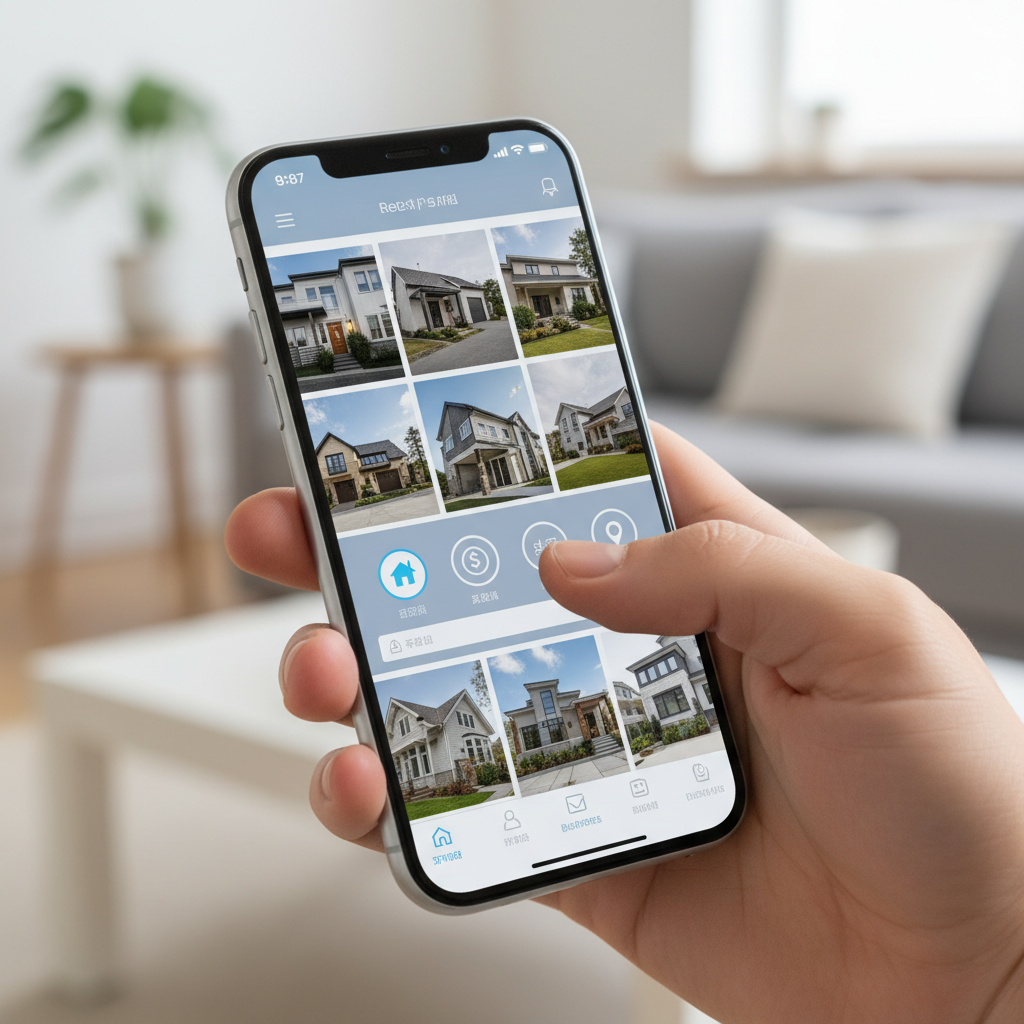
Houseup is a social real estate platform for Canada that bundles listing creation, verified messaging, viewing scheduler, negotiation tools, and ready-to-use contracts—supported by legal guidance, 24/7 assistance, and native iOS and Android apps. It keeps your process organized from first draft to final signatures.
Mobile-first is the norm, so manage your listing on the go. Use the app to reply quickly, confirm tours, and share disclosures without leaving the conversation thread. That continuity saves time and reduces errors.
What you can access in one place
- AI-powered listing tools: Draft faster with guided fields and smart prompts.
- Verified buyer messaging: Keep conversations accountable and on-record.
- Viewing scheduler: Offer time windows and auto-confirm reminders.
- Negotiation workspace: Track terms and concessions without inbox chaos.
- Contracts and legal guidance: Use ready-to-use templates and get clarity on steps.
- 24/7 support: Reach a human when you need a second opinion.
If you’re earlier in planning, compare live examples on our Houseup listings page and note how headlines, bullets, and galleries are structured.
How to structure your listing description
Lead with a benefit-driven headline, follow with a 120–200 word overview, then use bullets for upgrades and neighborhood hooks. Close with a strong call-to-action that routes buyers to message, schedule a viewing, or request documents directly from your listing page.
A simple template you can reuse
- Headline: One benefit + unique detail (max ~80 characters).
- Opening: 1–2 sentences setting flow and light (“South-facing living room opens to...” ).
- Middle: Space, storage, systems, recent upgrades with years.
- Close: Lifestyle and micro-location ( near parks, trails, transit) and a clear CTA to book a tour.
For valuation context and competitive positioning, skim our valuation tips for sellers so your narrative and numbers align.
Viewings, scheduling, and negotiation
Turn interest into tours with convenient time windows, rapid confirmations, and clear house rules. Then negotiate directly in-platform to capture terms, timelines, and contingencies without scattered email chains—keeping momentum and reducing misunderstandings.
Scheduling that respects buyers’ time
- Offer blocks: 60–90 minute windows with 15-minute slots help families coordinate.
- Confirm fast: Same-day confirmations win goodwill and prevent drop-off.
- Set expectations: Parking notes, shoe policy, and areas off-limits keep visits smooth.
Negotiating with clarity
- Document everything: Keep counteroffers, dates, and conditions inside the thread.
- Be specific: Write exact inclusion lists (appliances, window coverings, sheds).
- Use templates: Start with ready-to-use agreements, then tailor as needed.
When communications are centralized, decisions happen faster and with fewer surprises.
Legal resources and readiness
Legal readiness reduces friction at offer time. Houseup provides ready-to-use contracts and legal guidance so you can clarify obligations, timelines, and conditions before you accept. Having templates on hand reassures buyers and speeds final signatures.
One practical tip: proactively share essential documents (property details, upgrades, disclosures) from within your listing thread. Organized documentation signals a serious, trustworthy seller and reduces back-and-forth later.
For marketing materials and staging collateral, see insights on building attention from creating powerful real estate ads. While your listing carries the weight online, consistent visuals across channels help compound attention.
Market distribution and visibility
Reach comes from smart distribution and great on-page experience. With Houseup, you list once and reach buyers across Canada’s leading networks, while your page design keeps photos fast, CTAs clear, and messaging one tap away—so discovery converts into scheduled tours.
Simple levers that expand reach
- Metadata: A clear title and 150–160 character summary help search engines and social previews.
- Photo mix: Lead with your best 5 images—exterior, living, kitchen, primary, yard.
- Micro-location hooks: Parks, schools, transit, and commute notes bring lifestyle into view quickly.
For printable materials that complement your online presence, see this overview of real estate feature sheets and what to include on a one-pager for open houses.
Case studies and examples
Examples make strategy tangible. Here are three realistic scenarios—an Aurora detached sale, a downtown condo rental, and a rural acreage—showing how to tailor photos, copy, and scheduling so qualified buyers or renters move quickly from viewing to offer.
Aurora detached near parks
- Hook: “Family-friendly layout with backyard walkout steps from green space.”
- Photos: Emphasize yard, mudroom, storage, and a flexible basement.
- Scheduling: Weekend morning blocks; add an evening window for commuters.
- Local note: Mention proximity to Norm Weller Park to set lifestyle context.
Downtown condo rental
- Hook: “South-facing studio with floor-to-ceiling windows and in-suite laundry.”
- Photos: Daylight shots, amenities, bike storage, and lobby for security cues.
- Scheduling: 15-minute weekday evening slots to catch post-work tours.
- Docs: Have application, references, and pet policy templates ready.
Rural acreage
- Hook: “5-acre retreat with workshop, updated systems, and trail access.”
- Photos: Outbuildings, mechanicals, water systems, and boundary markers.
- Scheduling: Longer windows with daylight buffers for travel time.
- Docs: Include well/septic notes and recent maintenance summaries.
Looking for more real-world playbooks? Our home-selling checklist distills months of trial-and-error into an afternoon plan.
Get a second set of eyes (free consult)
Not sure if your listing is ready? Share your draft with our team for a quick, no-obligation review. We’ll flag missing fields, sharpen your headline, and suggest the next three changes most likely to increase qualified viewings this week.
Send your draft through your Houseup account and ask for a “Listing Readiness Review.” We respond 24/7 with specific, actionable feedback, usually within the same day.
Staging and in‑home prep
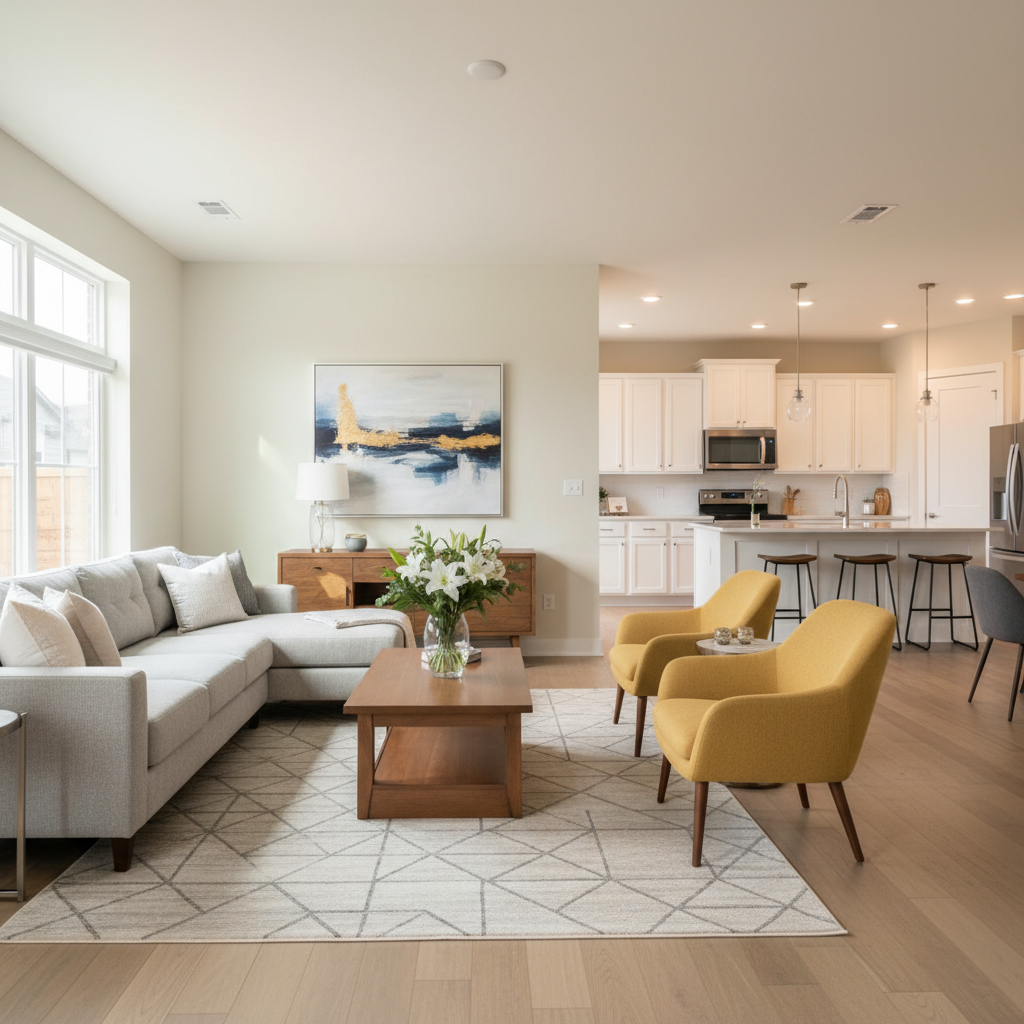
Great photos start with preparation. Declutter, neutralize color extremes, and stage each room with a focal point. For photos and showings, aim for consistent lighting, clean sightlines, and clear access so buyers experience the layout without distraction or friction.
Room-by-room checklist
- Entry: Clear shoes, add a plant, and light warmly.
- Kitchen: Clear counters; add one prop (bowl, plant) and hide bins.
- Bathrooms: Fresh towels, closed toilet lids, minimal items visible.
- Bedrooms: Neutral bedding, symmetrical lamps, open blinds.
- Garage/Storage: Tidy shelves; show capacity, not clutter.
For offline amplification, many sellers still leverage flyers and open house collateral. For ideas on layout and emphasis, see these notes on for‑sale signs and placement around showings.
Frequently Asked Questions
These quick answers address the most common questions we hear from Canadian sellers and renters using Houseup to list, message verified buyers, schedule viewings, and close securely with ready-to-use contracts and legal guidance.
What should I include in a listing to attract more buyers?
Include complete data (beds, baths, size, parking), 20–30 quality photos, a 120–200 word overview, and bullets for upgrades with years. Add clear CTAs to message, schedule a viewing, and request documents. Fast replies during peak hours keep momentum and increase viewing confirmations.
How does Houseup help me negotiate directly?
You can discuss terms with verified buyers in a structured chat that maintains an audit trail. Use templates to align on inclusions, dates, and conditions, then finalize with ready-to-use contracts and legal guidance to ensure both sides are clear before signing.
Can I list rentals in Canada on Houseup?
Yes. Houseup supports rentals as well as sales. You can publish a rental listing, collect applications and references, manage viewing slots, and use templates for agreements, policies, and disclosures—all in the same streamlined workflow as for-sale properties.
What if I’m new to listing and worried about legal steps?
Start with Houseup’s ready-to-use contracts and legal guidance. The templates outline obligations, timelines, and conditions clearly. You can share documents in‑thread, ask questions 24/7, and keep everything organized from first inquiry to final signatures.
Key takeaways and next steps
Strong property listings combine complete data, intentional visuals, and fast buyer engagement—supported by distribution and legal readiness. On Houseup, you manage all of that in one place so discovery turns into scheduled tours, real conversations, and confident closings.
- List once, reach buyers across Canada, and manage responses on mobile.
- Use 20–30 photos, a 120–200 word overview, and specific upgrade bullets.
- Reply quickly, confirm viewings, and document negotiations in-platform.
- Close with ready-to-use contracts and legal guidance to reduce friction.
Next steps:
- Skim our home-selling checklist and optimization guide.
- Review examples on the Houseup listings page.
- Start your listing draft and request a readiness review.