
Complete Rental Listing Guide: Save Time and Find Better Tenants
Rental listing tips that help you publish faster, reduce no-shows, and find better tenants. A complete Canada-focused guide aligned with Houseup’s end-to-end tools.
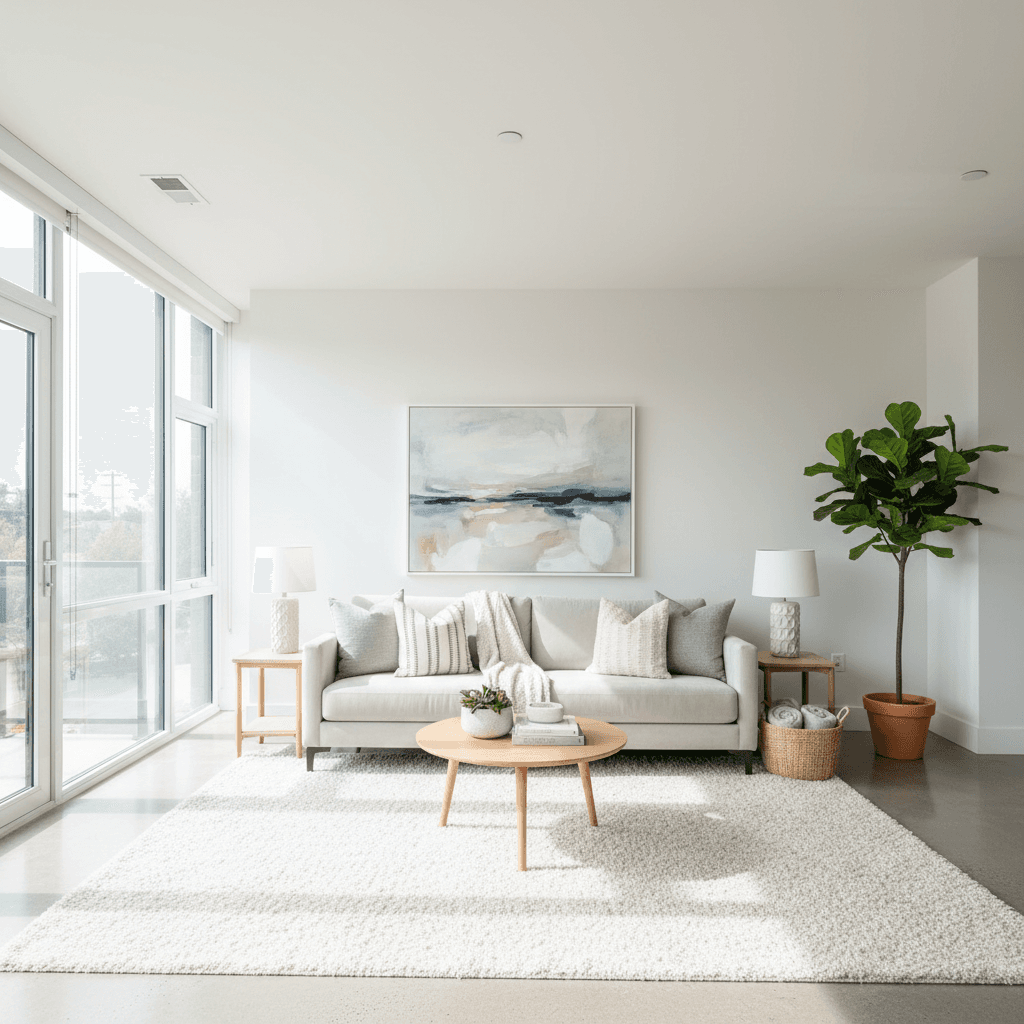
Rental listing tips are the practical methods landlords use to attract qualified tenants fast—things like great photos, clear policies, and smart distribution. On Houseup in Aurora (106 Brookeview Dr), these tips pair with tools for messaging, scheduling, and legal guidance so you can publish, screen, and sign confidently.
By Houseup • Last updated: May 6, 2026
Above-Fold: Hook, Promise, and What You’ll Get
This guide shows how to publish a standout rental listing, reach more renters, and lock in better tenants with less back-and-forth. You’ll get a step-by-step playbook, a platform comparison, local tips for Aurora, and pro tactics we use across Houseup’s Canada-wide marketplace.
Most landlords don’t need more inquiries—they need the right ones. Here’s what you’ll learn and implement today.
- What a high-performing rental listing looks like
- Why the first 48 hours matter most to engagement
- How Houseup’s workflow streamlines chat, showings, and negotiation
- A comparison of listing approaches (social marketplace vs. classifieds vs. agent)
- Local optimization tips for Aurora and nearby neighborhoods
What Are Rental Listing Tips?
Rental listing tips are proven techniques for presenting a property so it earns more views, qualified messages, and faster leases. They cover photos, description structure, amenity callouts, viewing logistics, and applicant criteria—so you minimize no-shows, avoid confusion, and select the best tenant match.
Think of tips as levers. Pull the right levers in the right order and your listing works harder while you work less. On Houseup, these tips are built into a streamlined flow—create once, distribute broadly, and manage all replies in one place.
- Presentation: Staging, lighting, photo order, and a scannable description.
- Qualification: Clear requirements, pet policy, and included utilities.
- Distribution: One listing broadcast across Houseup’s network reach in Canada.
- Conversion: Frictionless chat, viewing slots, and ready-to-use agreements.
When these elements align, you reduce back-and-forth, shorten time-to-lease, and improve tenant fit.
Why Rental Listing Tips Matter
Good listings earn attention; great listings guide action. Clear photos, precise policies, and scheduled showings reduce friction, cut no-shows, and increase qualified applications—saving time while protecting your standards and property.
Here’s the thing: renters skim first, then decide whether to engage. That means your primary image, first 2 lines of the description, and key amenities do most of the work. Strong rental listing tips help you structure these moments so interest turns into tours.
- Speed: A complete listing gets earlier inquiries, especially on mobile.
- Consistency: Standard info (utilities, parking, pet rules) prevents repetitive questions.
- Fairness: Clear, consistent criteria support equal treatment for every applicant.
- Decision quality: Thoughtful screening and logs help you choose confidently.
We’ve found that landlords who front-load clarity see fewer reschedules and faster decisions—because renters know what they’re stepping into before a showing.
How the Rental Listing Process Works on Houseup (Houseup Workflow)
On Houseup, you create a listing in minutes, distribute it once, then manage all renter messages, showings, and negotiation in one thread. Built-in contract templates and legal guidance help you close securely without extra tools.
Here’s the flow many of our Aurora landlords follow:
- Create: Start your listing draft and add essentials: address area, bedrooms/bathrooms, square footage, included utilities, parking, and pet rules.
- Visuals: Upload 15–25 photos and a 20–60 second walkthrough video if available. Lead with the living area and kitchen.
- Description: Use skimmable headings: Who it suits, standout features, nearby transit/green space, and viewing instructions.
- Availability: Turn on viewing windows in our scheduling tools so renters can self-book.
- Distribute: Publish once; our marketplace reach surfaces your property to renters across Canada.
- Engage: Use direct chat with verified renters for questions and follow-ups in a single thread.
- Negotiate & sign: Apply ready-to-use agreements with legal guidance so both sides feel protected.
Everything lives in one conversation—from first “Is it available?” to signed paperwork—so nothing slips through the cracks.
At a Glance: Summary
To list faster and lease smarter, pair strong visuals with a scannable description, crisp house rules, and self-serve viewing slots. Houseup centralizes messages, showings, and closing so you reduce no-shows, answer fewer repeated questions, and select a better-fit tenant.
- Lead with your best room photo; publish 15–25 total images.
- Use bullets for amenities and what’s included.
- Offer multiple viewing windows across weekdays and weekends.
- State pet policy, parking, and utility details up front.
- Keep all chats, screening notes, and agreements in one thread.
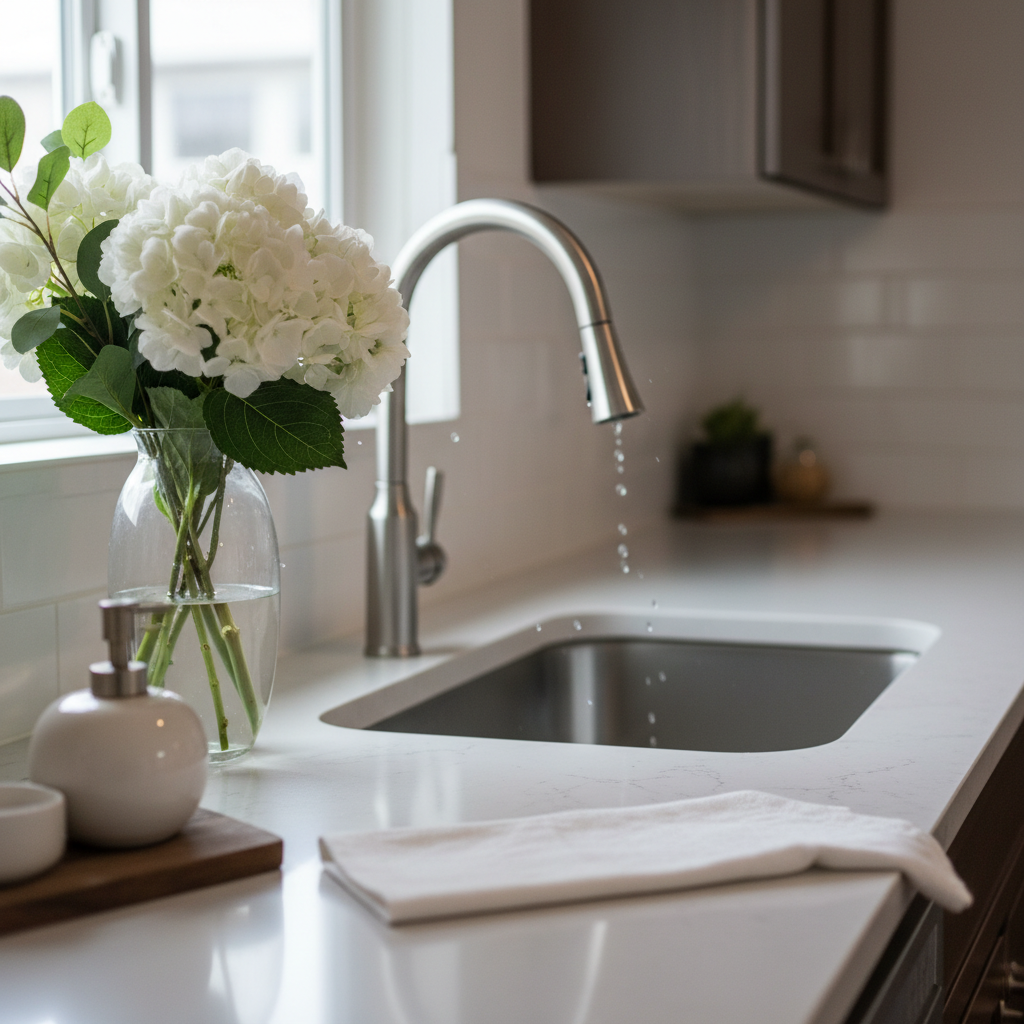
Types of Rental Listings and Approaches
Most rentals fall into a few patterns—long-term unfurnished, long-term furnished, short-term, or room shares. Your approach, photos, and policies should match the type, expected stay, and renter priorities so the right audience finds—and chooses—your place quickly.
Core listing types
- Unfurnished, long-term: Emphasize storage, layout, and appliances. Show empty rooms with natural light.
- Furnished, long-term: Focus on comfort, work-from-home spots, and noise control.
- Short-term: Highlight flexibility, all-in conveniences, and proximity to parks or transit.
- Room shares: Be clear about shared spaces, quiet hours, and bathroom ratios.
Audience alignment
- Commuters: Note travel times and transit lines; include bike storage details.
- Families: Prioritize laundry, parking, and nearby green space.
- Pet owners: State breed or size rules and nearby outdoor areas.
- Remote workers: Show work nooks, ethernet, and blackout shades.
Match your copy to the renter’s day. For example, if morning light floods the kitchen, say so—then show it in a first-frame photo.
Best Practices: 17 Rental Listing Tips That Consistently Work
Use a repeatable system: lead photo that “stops the scroll,” clear bullets for essentials, honest house rules, and easy self-booking. This combination attracts qualified renters, reduces no-shows, and helps you move from interest to lease with fewer messages.
- Front-load your best photo: Lead with the living room or kitchen.
- Publish 15–25 images: Cover every room, storage, and exterior.
- Sequence matters: Big-picture rooms first, then bedrooms, then details.
- Write a scannable headline: Feature count + unique hook (e.g., “2-bed with private patio”).
- Open with the fit: Who it suits (commuters, families, WFH).
- Bullet the essentials: Utilities, heating/cooling, parking, storage.
- Be precise on pets: Yes/no, limits, and any deposit rules.
- Set expectations: Quiet hours, no smoking, or building bylaws.
- Offer flexible viewing windows: Weeknight and weekend slots.
- Answer top 5 FAQs in the listing: Avoid repeated DMs.
- Add a mini floor plan image: Helps remote renters visualize flow.
- Show storage: Closets, pantry, garage, or locker.
- Highlight light and sound: “Morning light, interior bedroom is quiet.”
- Specify accessibility: Elevator access, step-free entry, or grab bars.
- Include transit and parks: Mention nearby green space and bus lines.
- Keep chat in-platform: One thread preserves context and agreements.
- Save a template: Reuse structure for future turnovers.
These rental listing tips work because they reduce uncertainty. Renters decide faster when visuals, rules, and logistics are obvious at first glance.
Tools and Resources That Make This Easier
Centralize your workflow: create once, share broadly, and keep chats, showings, and signing in one place. Houseup combines AI-powered descriptions, verified messaging, scheduling, and legal guidance so you publish faster and close securely.
- AI-powered listing tools: Draft a clean, skimmable description from your inputs.
- Direct buyer/renter connection: Verified messaging and in-thread Q&A.
- Scheduling: Self-serve booking reduces no-shows and overlap.
- Contract templates + guidance: Apply ready-to-use agreements.
- Professional services directory: Find photographers or cleaners if needed.
Explore how these pieces fit in our list-your-property guide and see active property listings across Canada to benchmark your presentation.
Local Optimization: Aurora and the Regional Municipality of York
For Aurora-area rentals, highlight quiet streets, nearby parks, and flexible viewing windows that match commuter schedules. Mention recognizable green spaces and transit access, then let renters self-book evening or weekend slots to reduce back-and-forth.
Local details increase trust and reduce questions—especially for out-of-town applicants comparing neighborhoods in the Regional Municipality of York.
Local considerations for Aurora
- Mention proximity to Norm Weller Park or Loraview Field for outdoor space and recreation.
- Offer showings across weeknights and weekends; winter sunsets and road conditions can affect timing.
- Note storage and parking specifics; many renters compare garage vs. street options in townhouse clusters.
If you’re new to optimizing copy, our property listings in Canada guide shows examples of neighborhood callouts that add context without fluff.
Platform Comparison: Social Marketplace vs. Classifieds vs. Agent
Choose your channel based on control, speed, and workflow. A social marketplace like Houseup centralizes chat, showings, and legal steps. Classifieds rely on manual coordination. Agents add services and oversight, but you’ll trade direct control.
| Factor | Houseup (Social Marketplace) | Classifieds Site | Traditional Agent |
|---|---|---|---|
| Control | Direct, respond and decide in one thread | High, but fragmented across emails/texts | Lower; agent leads communications |
| Speed | Fast; publish once, auto-distribution | Manual reposts and follow-ups | Coordinated by agent; additional steps |
| Messaging | Verified in-platform chat | Unverified inquiries vary in quality | Routed through agent |
| Scheduling | Built-in self-booking | Manual DMs to arrange | Agent calendars and showings |
| Legal support | Templates + guidance in-platform | Bring your own resources | Agent-managed paperwork |
| Effort | DIY with guided workflow | DIY and disconnected tools | Delegated, less hands-on |
Whichever route you choose, keep rental listing tips consistent: honest photos, precise policies, and simple booking.
Buying Guide: Choosing Your Listing Approach
Pick a channel that fits your time and comfort level. If you value direct control and speed, start on Houseup. Want white-glove service? Consider an agent. If you already have prospects, a small classifieds post can supplement reach.
- Start with Houseup if you prefer direct chat, self-booking, and built-in agreements.
- Layer classifieds if you’re in a niche submarket and want extra eyeballs.
- Consider an agent for fully delegated showings and screening.
- Always keep records: One place for criteria, notes, and decisions.
For creative ad ideas and copywriting prompts, review this Ontario-focused take on real estate ad fundamentals to spark listing headlines and bullet points.
Copy Framework: A Fill-in-the-Blank Description You Can Reuse
Organize your listing so skimmers get the gist in seconds. Use a benefit-first headline, a who-it-suits opener, bullets for essentials, then viewing and application steps. Consistency makes replies clearer and screening faster.
Headline: [Beds/Baths] + [Unique Hook] near [Transit/Park]
Opener: Ideal for [Audience]. Enjoy [Top 3 Benefits].
Bullets: Utilities, heating/cooling, parking, storage, pet policy, laundry, internet.
Location: [Landmarks/parks/transit] within [time].
Viewings: Self-book [days/times].
Apply: [Documents] via Houseup chat.
Save your framework as a template in your notes app, then adapt for future turnovers.
Case Studies and Real Examples
Clarity shortens time-to-lease. These brief scenarios show how adjusting photos, copy, and viewing logistics typically increases qualified messages and reduces back-and-forth before signing.
- Aurora townhouse, 3-bed: After swapping in a brighter living-room lead photo and adding weekend viewing windows, inquiries improved and no-shows dropped. Mentioning nearby parks in bullets helped family renters self-select.
- Downtown condo, 1-bed furnished: Bullet-first amenities and a 30-second video tour let remote workers decide quickly. Clear quiet-hours policy avoided mismatched expectations.
- Basement suite with separate entry: Listing a measured ceiling height and soundproofing details addressed noise and comfort questions up front, creating smoother tours.

Browse our current listings for more presentation ideas, and compare with the patterns outlined in our social real estate guide.
Clarity, Consistency, and Fairness
Use the same criteria for every applicant and keep a written record of decisions. Clear standards, posted up front, reduce misunderstandings, support fairness, and help you document the reasons behind your choice.
- Publish required documents and application steps in the listing.
- Answer the same questions with the same template responses.
- Keep notes in one thread so you can revisit decisions later.
For a wider context on advertising ideas across Ontario markets, see this creative overview of real estate marketing approaches. Use the concepts for brainstorming headlines and amenity callouts.
Your Photo Game Plan
Light, angles, and sequence determine whether people stop scrolling. Shoot in daylight, stabilize your phone, and order photos from wide room shots to details. Show storage, entryways, and outdoors so renters can visualize daily routines.
- Daylight only; turn off mixed color bulbs to keep tones natural.
- Stabilize with a tripod or shelf; use gridlines to level.
- Doors open; capture the room corner-to-corner.
- One exterior wide shot and a clear view of entry.
- Finish with 3–5 detail shots (hardware, finishes, storage).
For deeper visuals advice, check our photography guide and benchmark against strong examples inside active listings.
Showings: Reduce No-Shows and Make Tours Count
Offer multiple, short viewing windows and let renters self-book. Send same-day confirmations and keep directions simple. After tours, follow up with a template that lists next steps and any documents to submit.
- Stack 15–20 minute windows; confirm each slot with a quick message.
- Share parking and entry instructions 2–3 hours before the visit.
- Bring a printed checklist of criteria to keep conversations on track.
- Afterward, send your application steps as a saved reply.
Want headline inspiration before you post? Skim this Ontario-focused piece on DIY listing strategies and adapt the copy angles for rentals.
Optimize Distribution and First-48 Engagement
Your first 48 hours set the tone. Publish with complete media, respond quickly, and keep viewing slots open for the next two evenings. This rhythm captures momentum while your listing is fresh.
- Post when you can reply within minutes—especially during commute hours.
- Pin saved replies for FAQs so you can answer consistently and fast.
- Keep two upcoming evenings and one weekend morning open.
On Houseup, distribution puts your listing in front of renters across Canada, while a single conversation thread keeps your momentum organized.
Houseup Quick-Start Checklist
Use this one-sitting checklist: draft, upload, publish, and open your calendar. Spend an extra 10 minutes on headline, lead photo, and amenity bullets—they do most of the conversion work.
- Create draft and fill essentials
- Upload 15–25 photos in smart order
- Write scannable headline and opener
- Bullet utilities, parking, pet policy, laundry
- Open viewing windows and save reply templates
- Publish, monitor DMs, and log screening notes
For broader strategy context, review our Canada marketplace guide for distribution patterns and renter behavior.
Frequently Asked Questions
Landlords ask about photo counts, tenant screening, pet policies, and timing. Here are concise answers you can apply today. Keep criteria consistent for every applicant and maintain a written log of decisions.
How many photos should a rental listing include?
Publish 15–25 photos. Lead with wide room shots, then bedrooms, storage, and exterior. This range shows the full story without overwhelming skimmers and tends to prompt faster, more qualified messages.
What belongs in the first two lines of my description?
State who the place suits, the top two features, and your must-know policy (for example, pet rules). Those lines carry most of the conversion weight for skimmers and mobile readers.
How do I reduce tour no-shows?
Offer short, stacked windows renters can self-book, send a same-day confirmation, and share simple parking/entry details 2–3 hours prior. Keep all communication in one thread to maintain context.
Where should I publish my rental listing?
Start on Houseup to centralize chat, showings, and agreements. If you want extra reach in niche submarkets, layer a small classifieds post. Keep consistent copy and direct all replies to one place.
Key Takeaways
Lead with clarity and convenience. Strong visuals, precise policies, and self-booking windows convert skimmers into showings and showings into signed agreements—without endless back-and-forth.
- Headline + lead photo do most of the heavy lifting.
- Bullets beat paragraphs for amenities and rules.
- Self-serve scheduling reduces no-shows.
- One conversation thread protects momentum and context.
Conclusion and Next Steps
Publish a complete, scannable listing; then keep momentum tight with quick replies and easy viewing slots. Centralize chat, screening notes, and agreements to choose confidently and close securely.
Ready to put these rental listing tips to work? Create your listing now, keep communication in one thread, and let Houseup’s AI tools and legal guidance handle the details while you focus on choosing the right tenant.
Start your listing: Explore current rentals for inspiration, then open our new listing flow to publish in minutes.